
Android 10+ · free · no ads
Basketball shot tracker for Android
GetBuckets turns the Android phone in your pocket into a shot tracker. Put it on a small tripod facing the hoop, or prop it on the ground, put your earbuds in and shoot. It finds the ring by itself and calls every make and miss out loud with your running count, streak and percentage.
What it runs on
If your phone has a camera and Android 10, you are set.
Android 10 or newer
Anything from about 2019 on. A rear camera is all the hardware it needs. No wearable, no sensor on the ball, no second phone.
Runs on the phone
Detection is a small neural network on the device. Phones with a working GPU delegate run it noticeably faster; older phones fall back to the CPU and still count.
Works offline
Detection, calls and clips all run on the phone. Video never leaves it. Anonymous usage stats help improve the app; turn them off any time in Settings.
Free, no account
Free on Google Play. No sign-up, no ads, no subscription, no in-app purchases. Install it and shoot.
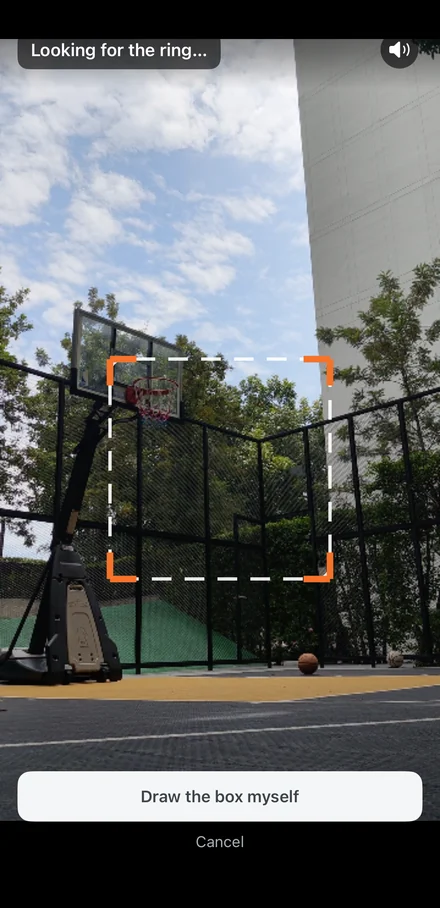
The one thing it does care about is the view. The ring should be at least a thumb-width wide on screen, with the backboard and net in frame and nothing in front of them. Setting up on your court walks through it.
On the phone
Find the ring, shoot, read it back.
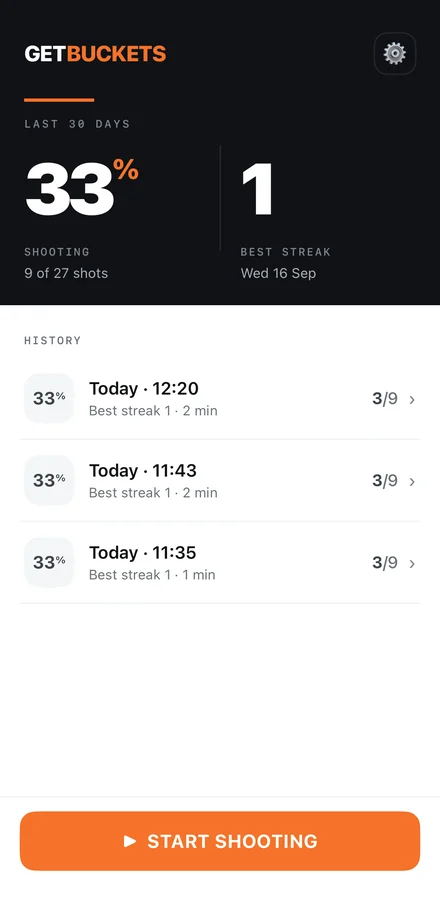
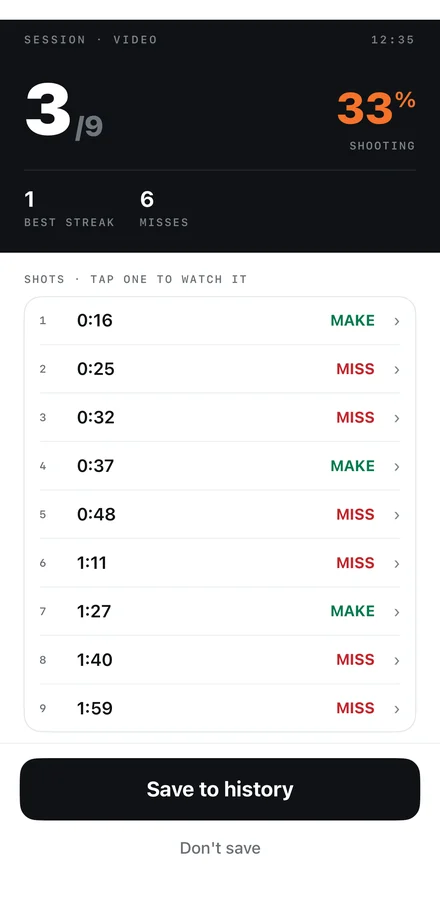
Three screens is the whole app: your history, the setup view where it locks onto the hoop, and the session summary with a clip of every shot.
No hardware to buy
Different from a sleeve, a net clip or a smart ball.
| GetBuckets | Wearable or sensor systems | |
|---|---|---|
| What you need | An Android phone and a hoop | A sleeve, wrist unit, net clip or smart ball, plus a phone |
| Cost | Free, no subscription | Hardware up front, often a plan on top |
| Charging | Just your phone | One more thing to charge before you leave |
| Where it works | Any hoop the camera can see, indoors or out | Wherever the hardware is fitted |
| Your data | Stays on the phone, works offline | Usually an account and a cloud sync |
| Per-shot video | A short clip of every shot, kept or binned by you | Rarely, unless you film separately |
Which Android phones does the shot tracker work on?
Any phone running Android 10 or newer with a rear camera. Detection runs on the phone, so a recent chip with a working GPU delegate keeps up more easily; older phones fall back to the CPU and still count shots, just with a little more warmth and battery use.
Does it need the internet or a login?
Neither. GetBuckets works offline and has no account. It works in a basement gym with flight mode on. Video never leaves your phone; the only thing the app can ever send is an optional, anonymous usage summary if you turn that setting on, and it is off by default.
How is it different from a sensor or wearable shot tracker?
Sensor systems ask you to buy hardware: a sleeve, a wrist unit, a net clip or a ball with electronics in it, and often a subscription on top. GetBuckets uses the phone you already own. You set it on a tripod facing the hoop and it watches the ring, so there is nothing to charge, strap on or replace.
Is it free?
Yes. Free on Google Play with no ads, no subscription and no in-app purchases.
Get it on your Android phone.
Then read the setup guide and pick a drill for your first session.